Shivani logo
All projectsBrand guidelines / Shivani K J

§00 / Cover sheet

TransferX

TransferX branding project cover

A clearer path to what’s next.

Design
Shivani K J
Scope
Identity & system
Type / OutfitAa400 / 600 / 800
Color
#0080FF
#0066CC
#FFD84D
#E5F2FF
#0C0D0E
10 chapters / Identity & product systemExplore the system
Contents

01 / Branding foundation

§01 / Brand foundation

Brand strategy & identity

Clarity, confidence and momentum for transfer students.

Proposed strategy and messaging. Original artwork is identified throughout.

Mission
Make transfer planning easier to understand and act on.
Vision
A clear next step for every student’s transfer journey.
Values
Clarity, accessibility and practical support.
Personality
Encouraging, organized and student-first.
Audience
Community college students planning a university transfer.
Positioning
A planner and resource manager in one place.

Voice & messaging study
Your next step, made clear.

Clear, supportive and direct. No jargon, pressure or promises.

§02 / Brand foundation

Logo system

TransferX primary logo
Original primary logo
TransferX logo on dark
Original reverse logo
Lockups
Retain the supplied horizontal wordmark. Vertical lockup remains to be defined.
Clear space & size
Proposed: one letter-height of clear space; 96px minimum wordmark width. Validate legibility in context.
Incorrect usage
Do not stretch, rotate, recolor or place over competing imagery.
§03 / Brand foundation

Color system

HEX / Brand palette

Tint 01Tint 02PrimaryShade 01Shade 02
Roles
Blue leads actions. Yellow highlights milestones. Neutrals carry reading content.
Semantic colors
Separate success, warning and error from decorative accents. Pair color with text or an icon.
Contrast target
WCAG 2.2 AA: 4.5:1 for normal text, 3:1 for large text and essential UI. Test each pairing; do not assume brand colors pass.
Original blue gradient assetOriginal blue and yellow gradient asset
§04 / Brand foundation

Typography

OutfitDisplay / 600
AaCap heightBaseline
600

Plan your next chapter.

DM Sans / Body & interface

Heading 01 3rem / 1.15

Heading 02 2rem / 1.25

Heading 03 1.25rem / 1.4

Body text 1rem / 1.6

Supporting text 0.875rem / 1.5

Proposed scale. Zero letter spacing. Small-screen headings step down to 2.25rem; body stays at 1rem.

§05 / Brand foundation

Visual language

Iconography

Plan
Deadline
Scholarship
University
Transcript
Pathway
Mentor
Milestone
Gpa
Financial Aid
Essay Prompt
Transfer

Trex / A familiar guide

Trex avatar
Avatar
Trex wave
Wave
Trex plan
Plan
Trex working
Working
Trex question
Question
Trex celebrate
Celebrate
Trex done
Done
Trex joy
Joy
Trex thanks
Thanks
Trex glow
Glow

Illustrations & patterns

Plan original illustrationUniversities original illustrationOpportunities original illustrationMilestone original illustration
Original dot grid textureOriginal grid texture
Conceptual student planning scene
Photography direction study: natural light, clear tasks, everyday study contexts. Generated concept, not research evidence.
02 / Product design system

§06 / Product system

Foundations & design tokens

Proposed foundations for the system studies below, not verified production specifications.

4px
8px
16px
24px
32px
48px
Grid & breakpoints
12 columns on desktop, 8 on tablet, 4 on mobile. Proposed breaks: 48rem and 64rem.

Size & spacing
4px increment; 8px rhythm. Controls use stable sizing with room for longer labels.
Radius & borders
8px surfaces, pill actions. 1px borders separate quiet content.
Elevation & opacity
Subtle shadows for overlays only. Disabled controls reduce emphasis without hiding labels.
§07 / Product system

Core UI components

Interactive component studies using illustrative content.

Buttons & states

Default · outline · disabled

Inputs & selection

Feedback & loading

Changes saved

A name is required.

Loading stateDraft

Single choice & help

Reminder frequency
Reminder details

Preview reminders are not sent.

§08 / Product system

Advanced UI components

Transfer readiness

60%

Illustrative data

Example activity
TaskStatus
Review course planIn progress
Shortlist universitiesDraft
Navigation & tabs
One active location, readable labels and visible keyboard focus.
Tables & pagination
Keep labels attached to values. Add pagination when records exceed the visible set.
Overlays & charts
Dialogs focus on one task; drawers retain context. Charts need text summaries and labeled values.
§09 / Product system

Product-specific components

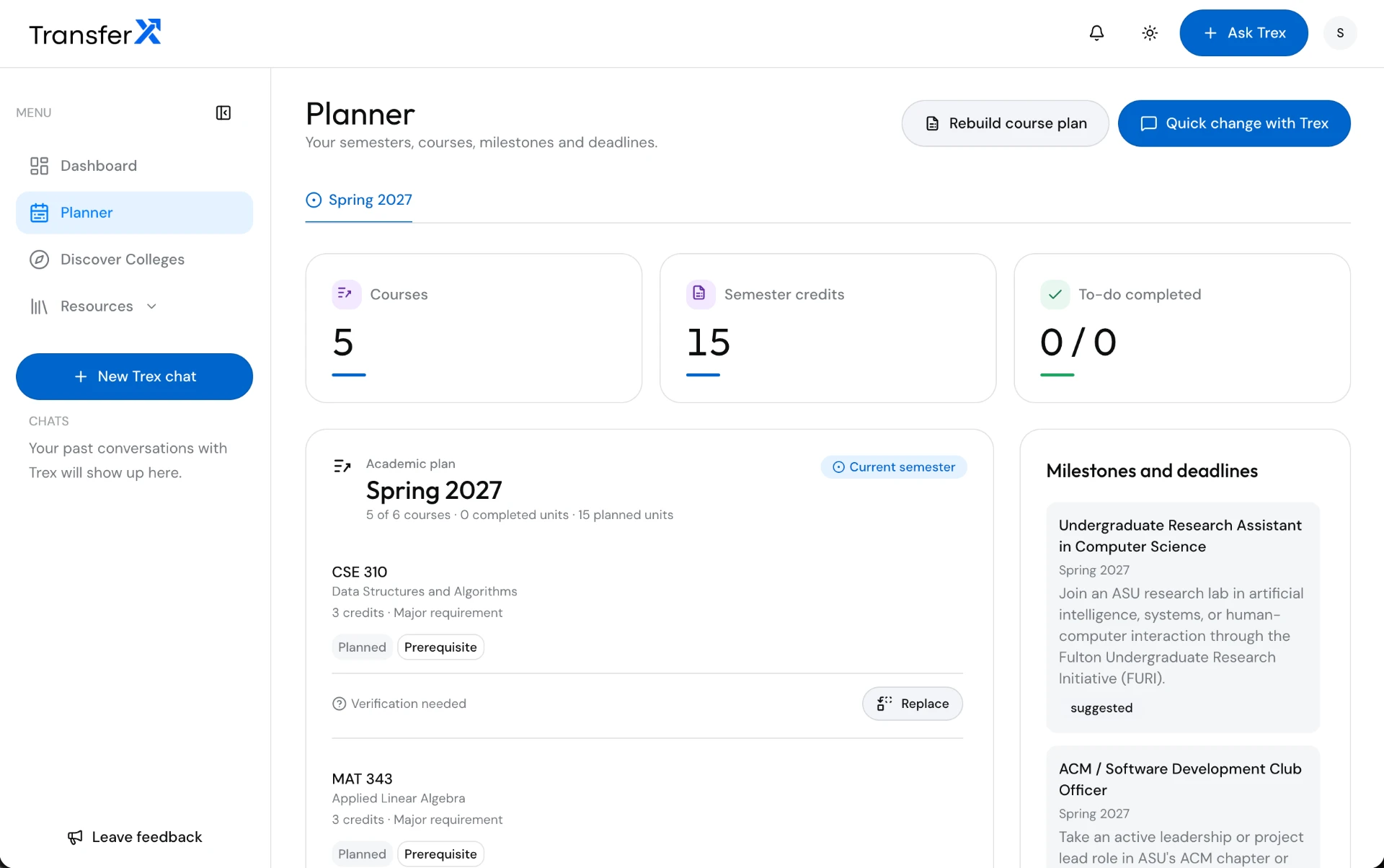
Transfer planner screen
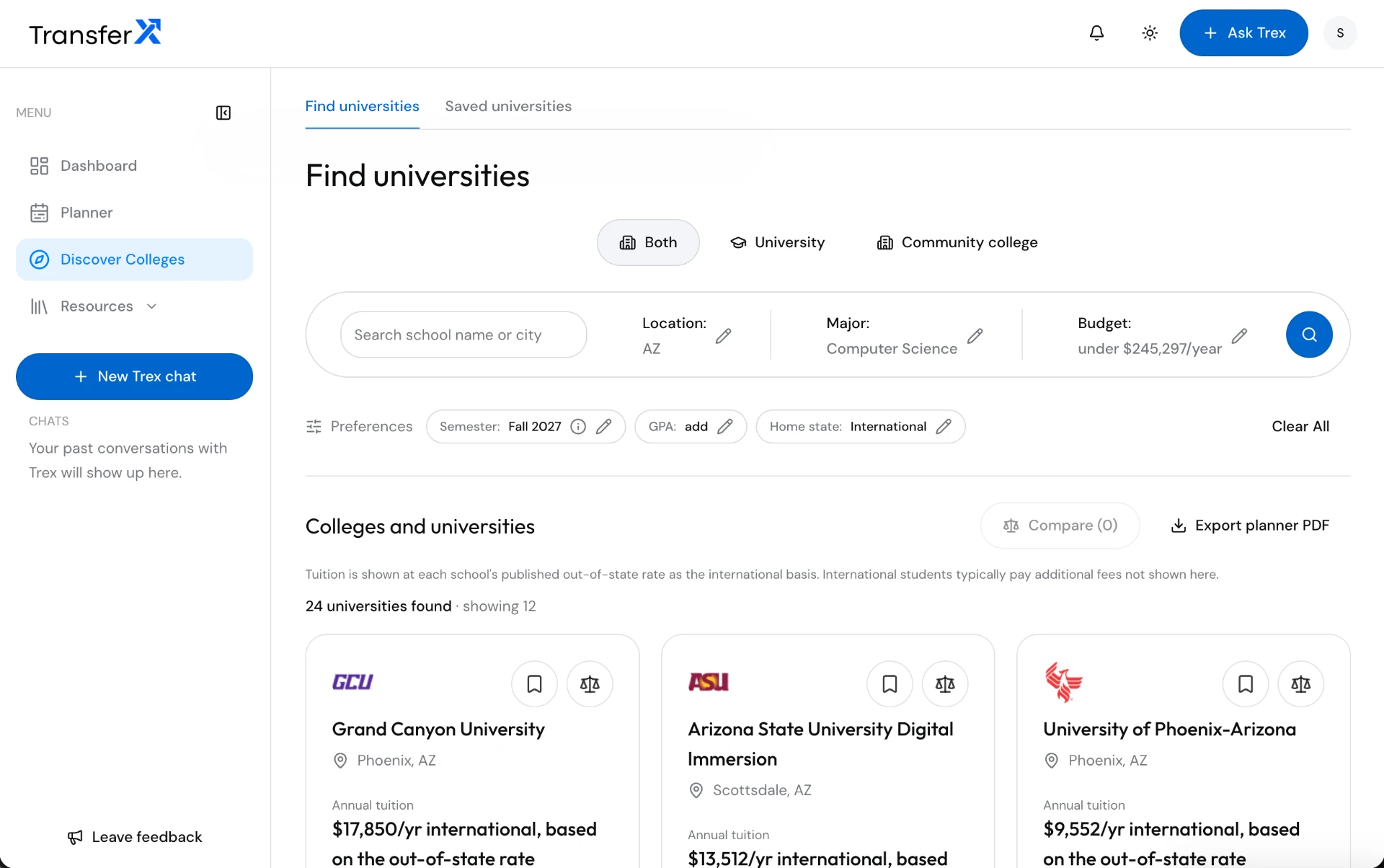
University discovery screen
Transfer planner
Courses, milestones and application deadlines in one plan.
University cards
Comparable options and shortlisting with clear next steps.
Course equivalency & GPA
Planned: source-linked equivalencies and transparent GPA calculations.
Trex AI chat
Planned: contextual transfer guidance with source checks.
Resume builder
Planned: structured experience and editable resume sections.
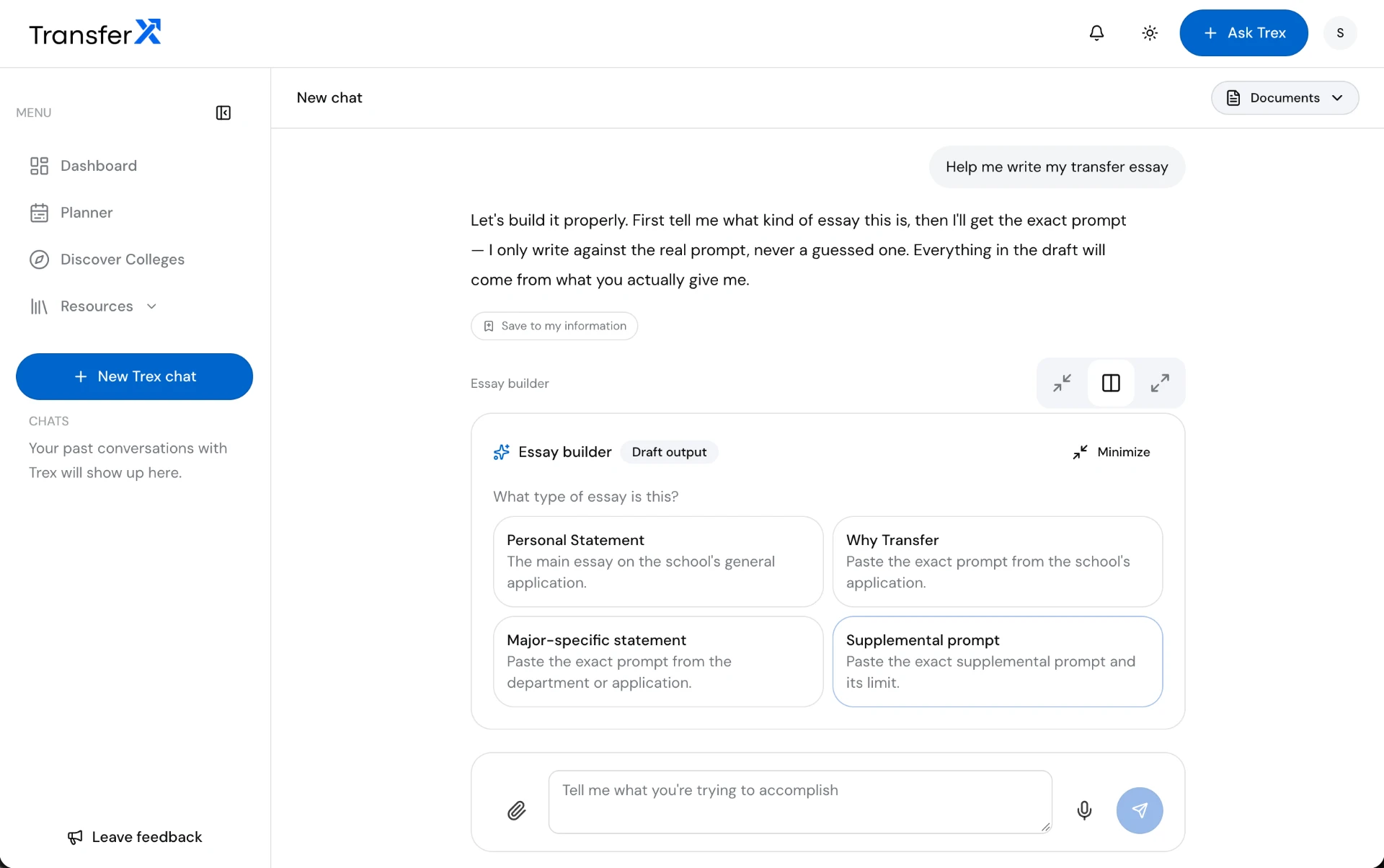
Essay editor
Planned: prompts, drafts and revisions while preserving the student’s voice.
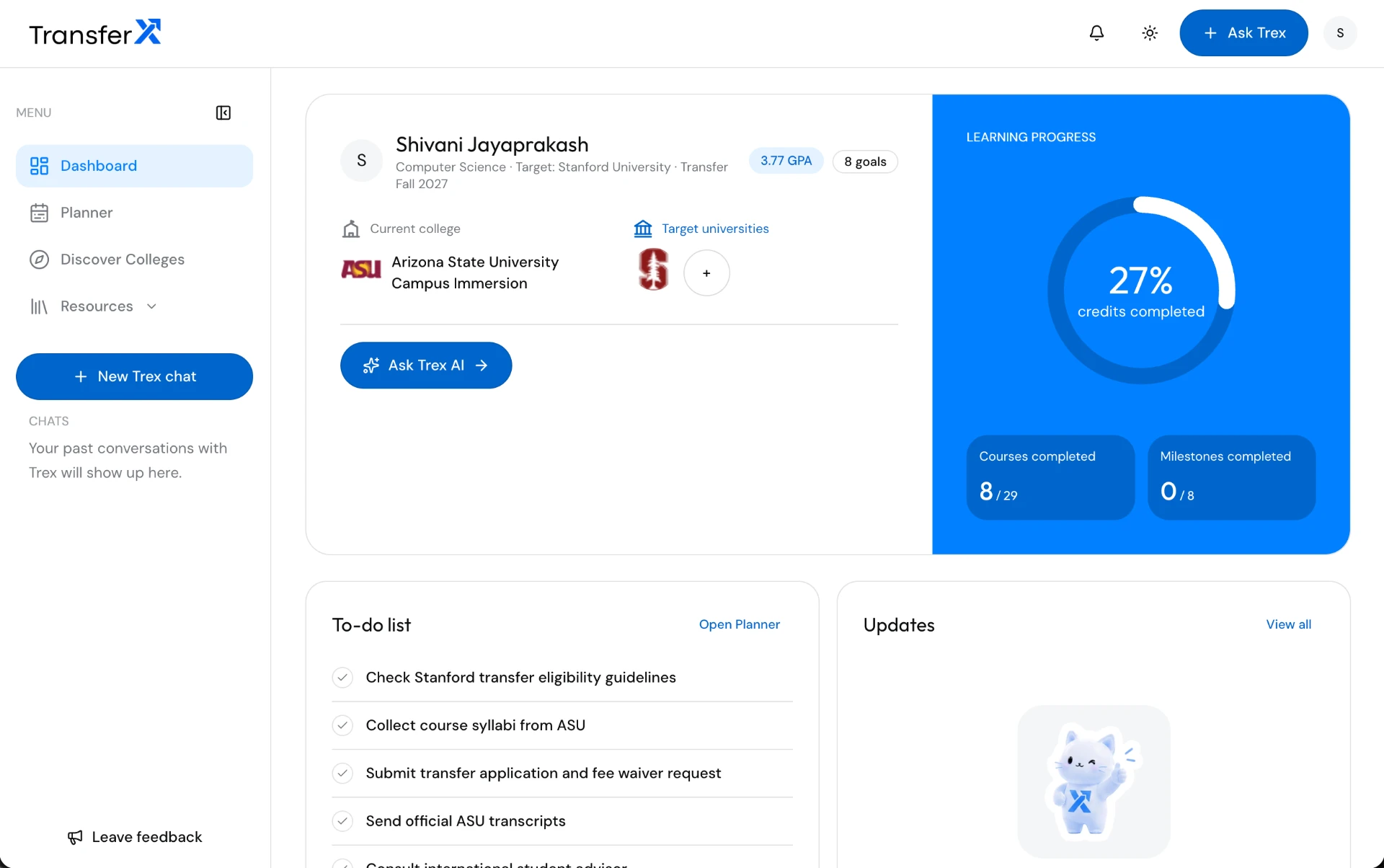
TransferX dashboard
TransferX dashboard
Trex essay builder
Trex essay builder
Read the product case study
§10 / Product system

Responsive patterns & accessibility

Desktop
≥ 64rem
Tablet
48–64rem
Mobile
< 48rem
Keyboard & focus
Reach every control by keyboard, keep focus visible and return focus after closing overlays.
Errors & motion
Associate errors with inputs. Announce updates. Respect reduced motion.
Text & targets
Preserve content at 200% zoom. Aim for 44px touch controls; meet WCAG 2.2 AA target-size requirements.
Dark mode
Proposed: dedicated surface and text pairs. A reverse logo alone is not a validated dark theme.

Accessibility targets, not a compliance certification. Contrast, assistive technology and full product flows require validation.

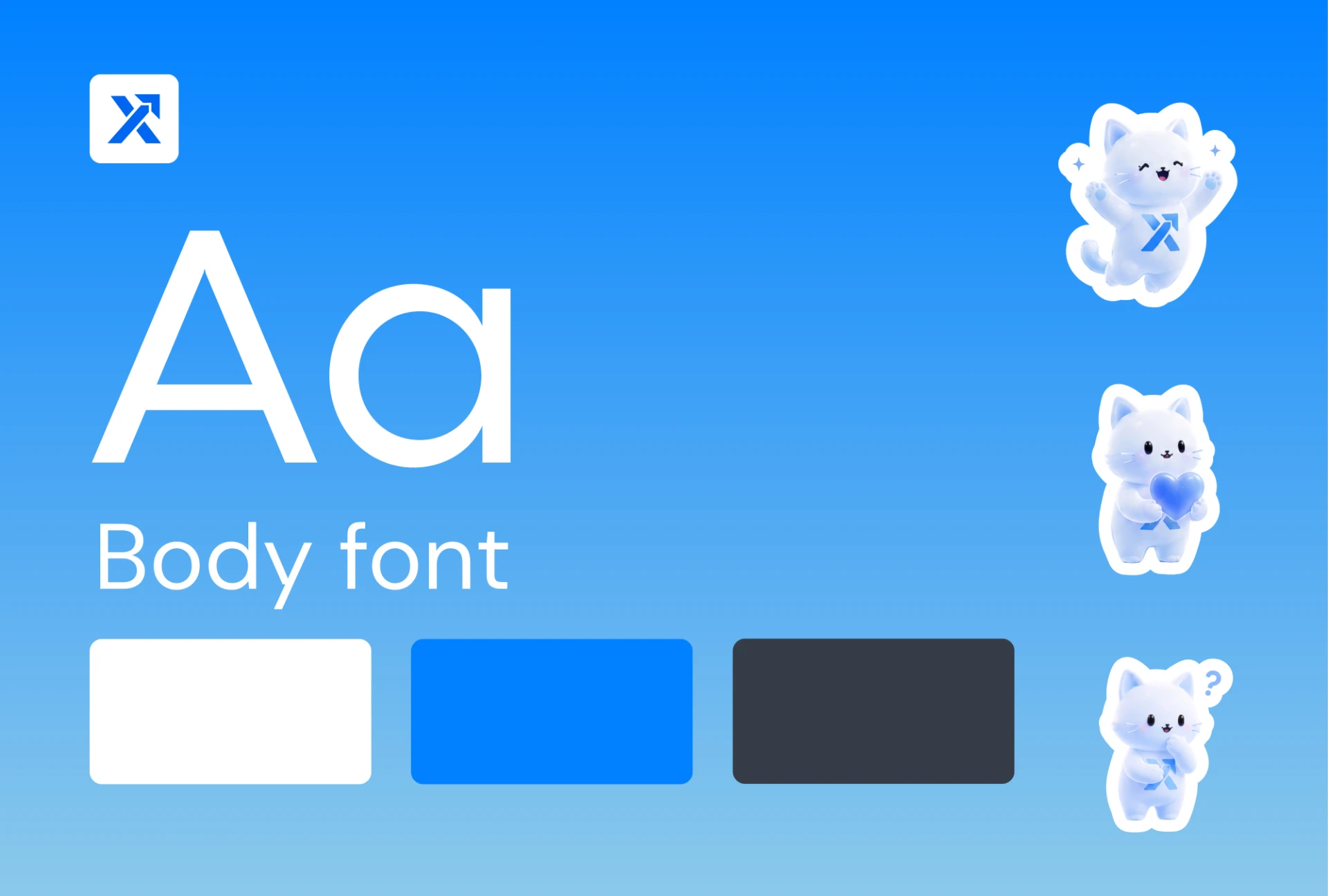
Original TransferX identity board